Your AVD fabric, live in Kubernetes
Keep the AVD model you have and the containerlab you run. Change the model in Kubernetes, and the twin follows.
What you get
- The AVD model as it is: your inventory, group_vars and playbook become Kubernetes objects in AVD's own data model. No new schema.
- Before anything moves,
netadopt avd reportnames what cannot be carried, andnetadopt avd comparerenders the repository and the objects and compares every host. - A twin cabled as AVD cables it: in containerlab, or in Kubernetes with netclab-chart.
- A change to the model reaches the switches in under a minute, with no playbook to run.
- A change made by hand on a switch is put back within a minute.
- The twin and production run from the same objects; only the lab's extra vars differ.
Quick start
AVD's own single-dc-l3ls example: 8 cEOS switches and 2 servers in containerlab, the model in a kind cluster. Run with netadopt 0.9.0, function-avd v0.2.4, Crossplane v2.4.2, containerlab 0.79.0 and cEOS 4.36.1F.
It needs Docker, kind, kubectl, helm, uv and containerlab. cEOS cannot be pulled: download it from Arista and import it once.
docker import cEOS64-lab-4.36.1F.tar.xz ceos:4.36.1F1. The repository
git clone --depth 1 --branch v6.4.0 --filter=blob:none --sparse https://github.com/aristanetworks/avd
git -C avd sparse-checkout set ansible_collections/arista/avd/examples/single-dc-l3ls
cp -r avd/ansible_collections/arista/avd/examples/single-dc-l3ls .
2. What is in it
uvx "netadopt[avd]" avd report single-dc-l3ls --playbook build.ymlIt carries: a Fabric, and a FabricInput per group.
3. The twin
uvx "netadopt[avd]" avd lab single-dc-l3ls --playbook build.yml --for containerlab \
  --ceos-image ceos:4.36.1F --extra-vars-out lab-vars.yml > single-dc-l3ls.clab.yml
sudo containerlab deploy -t single-dc-l3ls.clab.yml
lab-vars.yml points each switch of the model at its node in the twin. cEOS takes a few minutes to boot. In VS Code with vscode-containerlab, one setting logs into the nodes as the twin's user:
"containerlab.node.sshUserMapping": { "arista_ceos": "arista" }4. The cluster
curl -LO https://raw.githubusercontent.com/netclab/function-avd/v0.2.4/example/runtime.yaml
curl -LO https://raw.githubusercontent.com/netclab/function-avd/v0.2.4/example/providerconfig.yaml
uvx netclab up --crossplane v2.4.2 \
  --configuration xpkg.upbound.io/netclab/configuration-avd:v0.2.4 \
  --manifest runtime.yaml --manifest providerconfig.yaml
A kind cluster with Crossplane and function-avd, in about a minute and a half.
5. The model in the cluster
uvx "netadopt[avd]" avd emit single-dc-l3ls --playbook build.yml -e @lab-vars.yml \
  | kubectl apply --server-side -f -
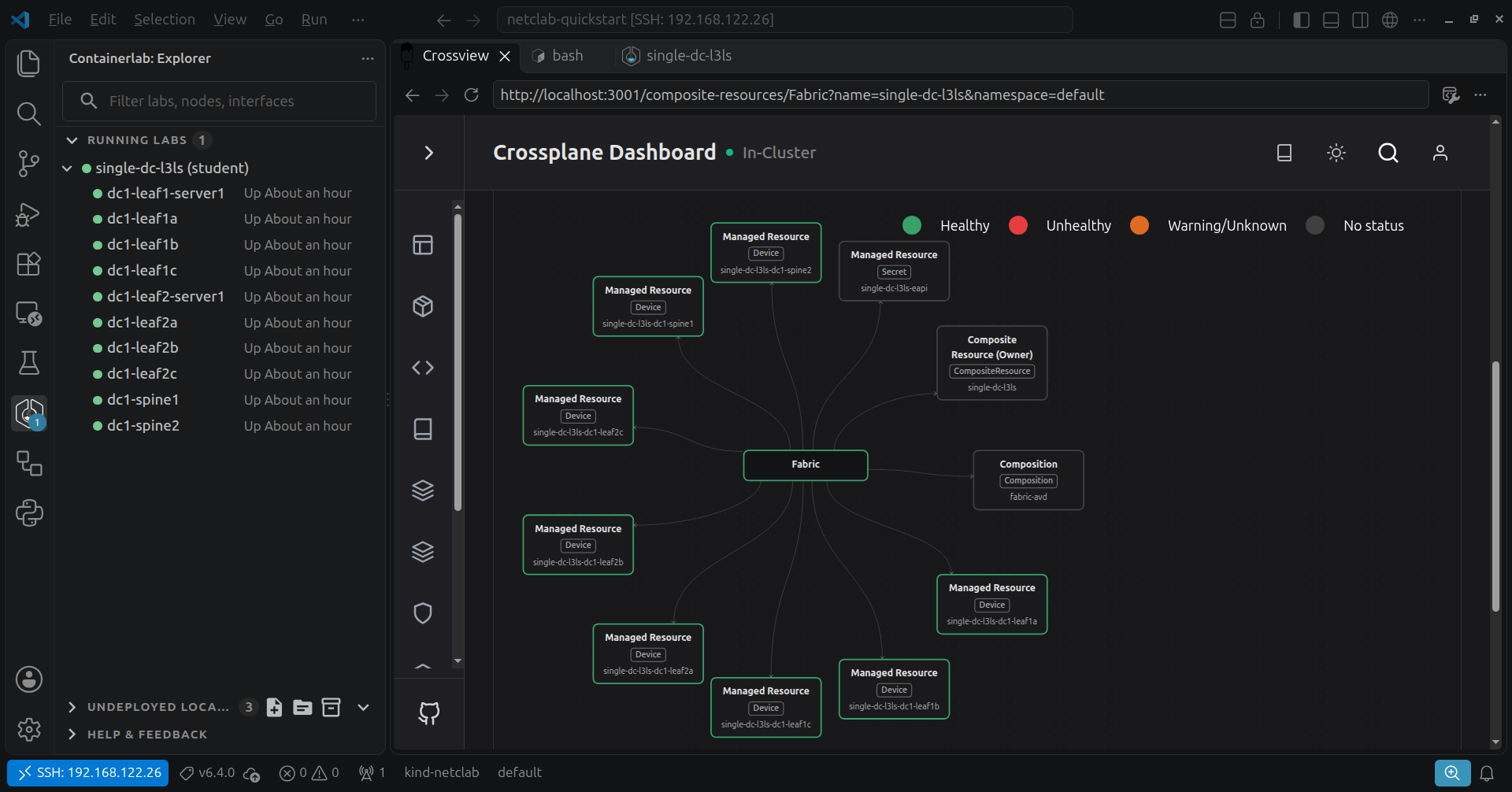
kubectl get fabric,device
The Fabric and its 8 Devices are ready in under a minute, and every switch in the twin carries its AVD configuration.
6. A change
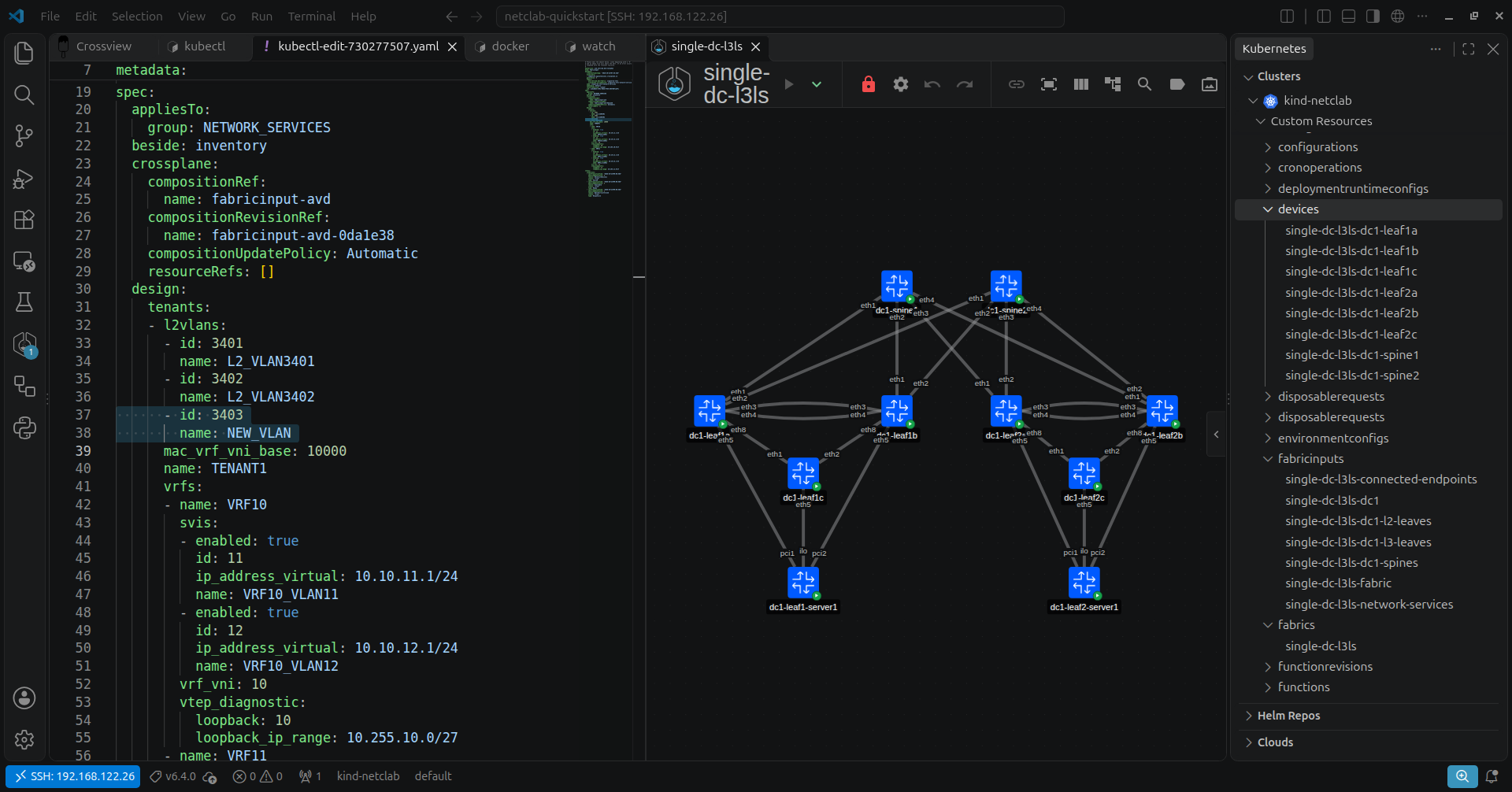
KUBE_EDITOR="code --wait" kubectl edit fabricinput single-dc-l3ls-network-servicesUnder l2vlans, add:
- id: 3403
  name: NEW_VLAN
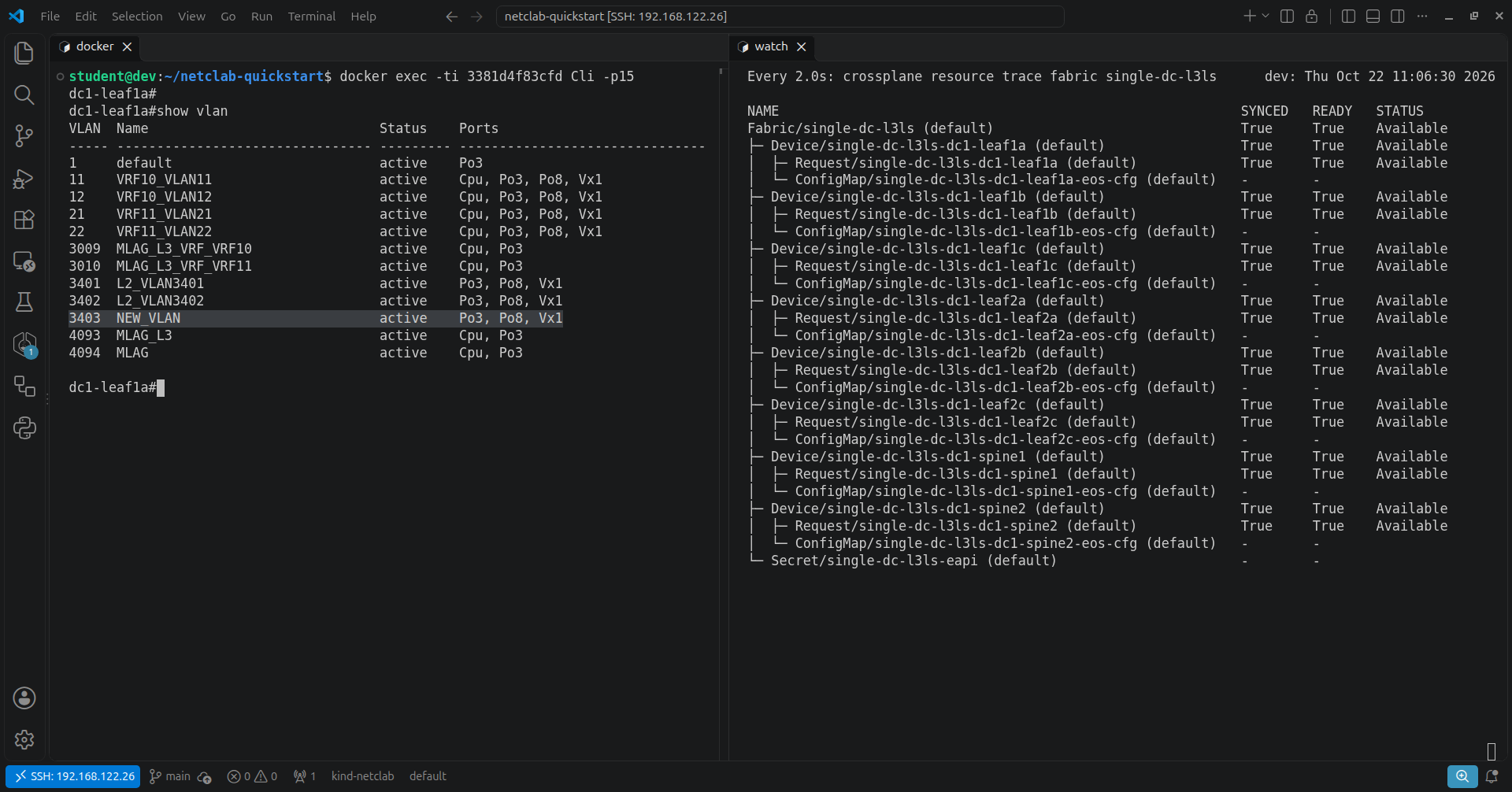
Save and close. Half a minute later the VLAN is on the six leaves, and not on the spines:
docker exec clab-single-dc-l3ls-dc1-leaf1a Cli -p 15 -c "show vlan"7. Production
uvx "netadopt[avd]" avd emit single-dc-l3ls --playbook build.yml > production.yaml
uvx "netadopt[avd]" avd emit single-dc-l3ls --playbook build.yml -e @lab-vars.yml > twin.yaml
diff production.yaml twin.yaml
Only spec.extraVars differs. Applied without it, the Fabric configures the switches at the addresses in your inventory: read Before applying a Fabric first.
Clean up
sudo containerlab destroy -t single-dc-l3ls.clab.yml
uvx netclab down
What makes it possible
-
netadoptReads an AVD repository, says what it holds, and writes it as Kubernetes objects, and a twin of its switches.
-
function-avdRuns AVD in Kubernetes: builds each switch's configuration from those objects with AVD's own role, pushes it over eAPI, and pushes it again after a change by hand.
-
CrossplaneThe Kubernetes framework the objects are reconciled with.
-
containerlab and netclab-chartThe twin: containerlab on your machine, or netclab-chart in the cluster.